Workflows as tools
Expose a whole workflow as a tool an LLM can call — one workflow orchestrates, others do focused jobs.
A tool doesn’t have to be a single function — a whole workflow can be one. Build a workflow that looks up an order, drafts a reply, or runs a calculation, and an LLM in another workflow can call it like any other tool: the model fills in the workflow’s inputs, the workflow runs, and its output comes back. It’s how you compose workflows — one orchestrates, others do focused jobs.
Throughout this page, a workflow is just a graph — the same data you
save and load. The examples assume you’ve
loaded one and deserialized it from your store.
Turn a workflow into a tool
graphToTool (from wayflow/runtime) wraps a workflow’s graph as a tool:
const lookupOrder = graphToTool(orderWorkflow, {
  description: 'Look up an order by its ID.',
})
The tool’s parameters come from the workflow’s Input fields — the model
provides them as arguments — and the result is whatever the workflow’s Output
produces. The description (here, or from the workflow’s metadata) is what the
model reads to decide when to call it.
Register it in the runtime’s tools like any other tool; the key you register it under becomes its name:
const runtime = createRuntime({
  handlers: { llm: createLLMHandler(provider) },
  tools: { order_lookup: lookupOrder },
})
Now an LLM node with order_lookup selected in its
Tools field can call the whole workflow
mid-answer.
A library of workflows
In production you keep workflows as saved graphs, and you’ll want to expose a set of them as tools without rewiring code each time. Two pieces make that work.
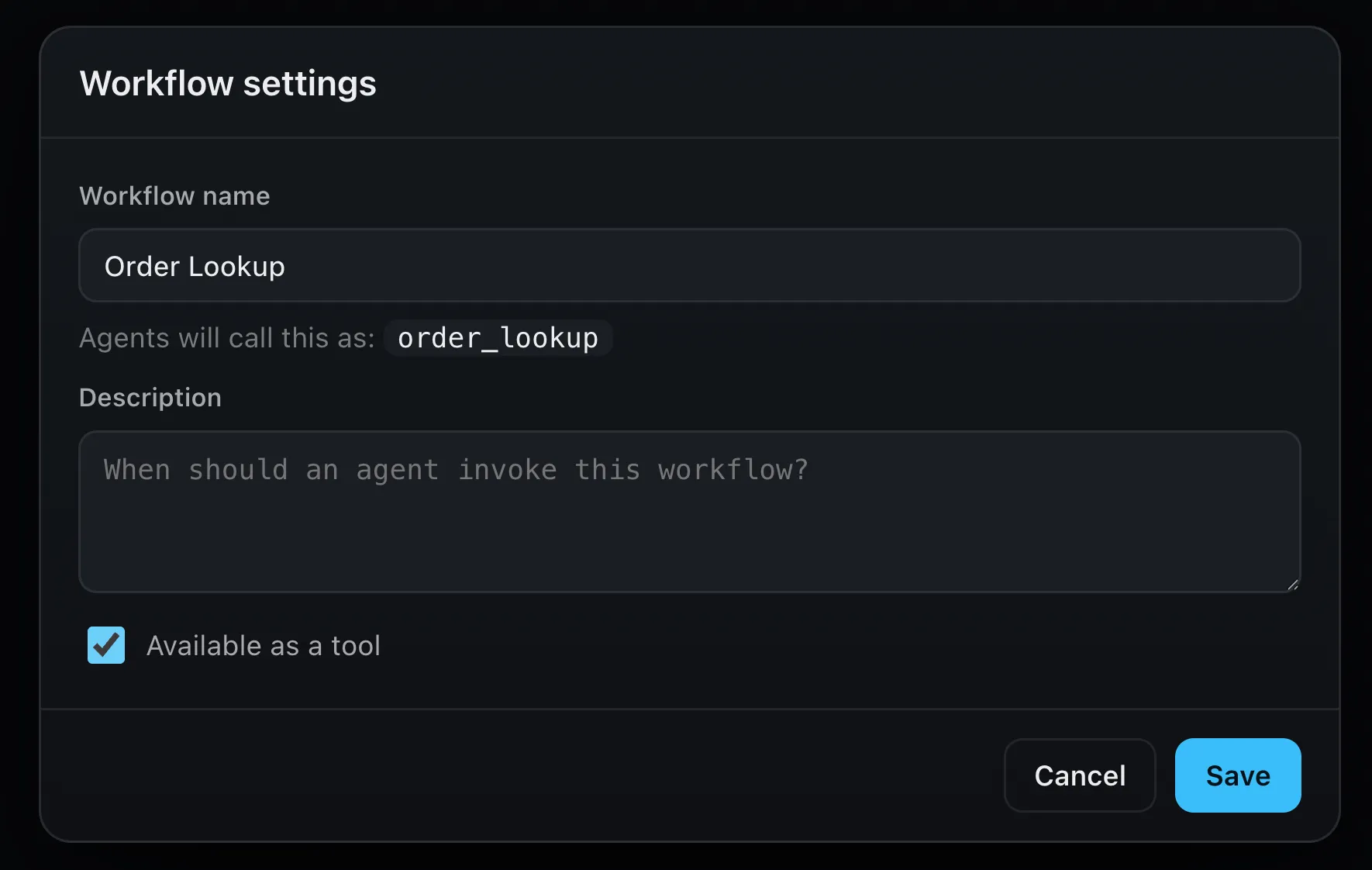
First, in the editor, flip Expose as tool on in a workflow’s settings — it sets a flag on the workflow’s metadata:
Then, in your backend, load your saved graphs, keep the ones with that flag set,
and hand them to graphsToTools:
const saved = await loadWorkflows() // your database
const graphs = saved.map(deserialize)
const exposed = graphs.filter((g) => g.metadata?.exposedAsTool)

const runtime = createRuntime({
  handlers: { llm: createLLMHandler(provider) },
  tools: graphsToTools(exposed),
})
loadWorkflows is your own storage — wherever you keep the graphs you saved.
deserialize (from wayflow/core) turns each one back into a graph, and
graphsToTools keys each tool by the workflow’s name (Order Lookup becomes
order_lookup). The set of callable workflows is now just data: flip the flag in
the editor, and the next run picks it up — no code change.
Tools run in one shot
A workflow called as a tool runs straight through to its result, so it can’t contain a Human Review pause — a nested run doesn’t suspend.
Where next
- Tools — the tool system this builds on
- On a server — load and deserialize the saved graphs you expose
- LLM — the node that calls tools