Tools
Let an LLM call your functions mid-run — look something up, hit an API, take an action — and fold the result into its answer.
An LLM is fluent with language but blind to your data and the outside world. Tools fix that: you hand the model a set of functions it can call partway through an answer — look up a record, hit an API, run a calculation — and it weaves the results back into its response. You decide what each tool can do; the model decides when to reach for it.
How the loop works
When an LLM node has tools, the model can pause mid-answer and call one. Your handler runs, returns a result, and the model picks up where it left off with that result in hand — calling more tools if it needs to, until it has a final answer. Wayflow runs that whole back-and-forth for you.
Define a tool
A tool is three things: a description, a set of typed arguments, and a
handler — the function that does the work. Reach for defineTool (from
wayflow/runtime):
const getWeather = defineTool({
  description: 'Look up the current weather for a city.',
  args: { city: 'string' },
  handler: async ({ city }) => {
    const res = await fetch('https://example.com/weather?city=' + city)
    return res.json()
  },
})
The description and the argument names are what the model reads to decide
when and how to call the tool — so write them like you’re explaining the
function to a teammate. The handler receives the typed arguments and returns
whatever the model should see back.
Make it available
A tool has two halves, and they can live in different places. The handler runs with the runtime, so on your server you register the whole tool:
const runtime = createRuntime({
  handlers: { llm: createLLMHandler(provider) },
  tools: { getWeather },
})
The editor only needs the tool’s name and description to list it in a node’s
Tools field — never the handler, which may hold secrets. So on the client you
declare the same tool with defineToolMetadata (also from wayflow/runtime) — no
handler — and pass it under the same key:
const getWeather = defineToolMetadata({
  description: 'Look up the current weather for a city.',
  args: { city: 'string' },
})

const editor = createWorkflowEditor(element, {
  tools: { getWeather },
})
The keys match (getWeather), so a tool the author picks in the editor resolves to
its handler on your server at run time. (Running the runtime in the browser
instead? Then there’s no split — pass the full defineTool tool to both.)
Give a node access
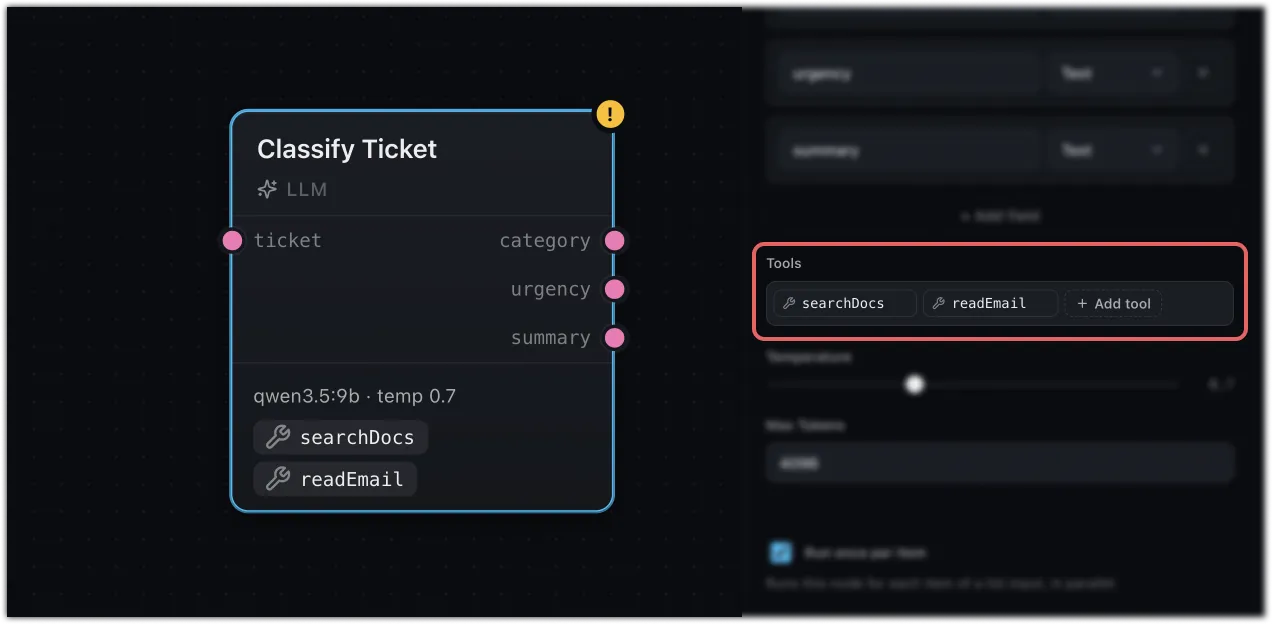
Open an LLM node’s Tools field in the config panel and pick the tools it may call. A node only sees the ones you select, so you can scope each node to exactly what it needs.
Keep handlers on your server
A handler can hold secrets and reach private systems, so keep it on your server-side runtime, never in the browser bundle. See Running on a server for the full client/server wiring.
A whole workflow as a tool
A tool doesn’t have to be a single function — you can expose an entire
workflow as one, so a model can call another workflow the same way it calls
getWeather. See Workflows as
tools.
Where next
- LLM — the node tools attach to
- Workflows as tools — turn a workflow into a callable tool
- Running on a server — where tool handlers belong in production