Node library
A map of the built-in nodes — what each one does, grouped exactly as you'll find them in the palette.
Every workflow is built from nodes. Each node is one step: it takes some input, does its job, and passes the result down the wires to the next node. The editor ships with a set of built-in nodes for the steps you reach for most — and when none of them fit, you add your own.
This page is the map. Skim it to see what’s in the box, then follow a link when you want the details on a specific node. The two groups below match the categories in the palette.
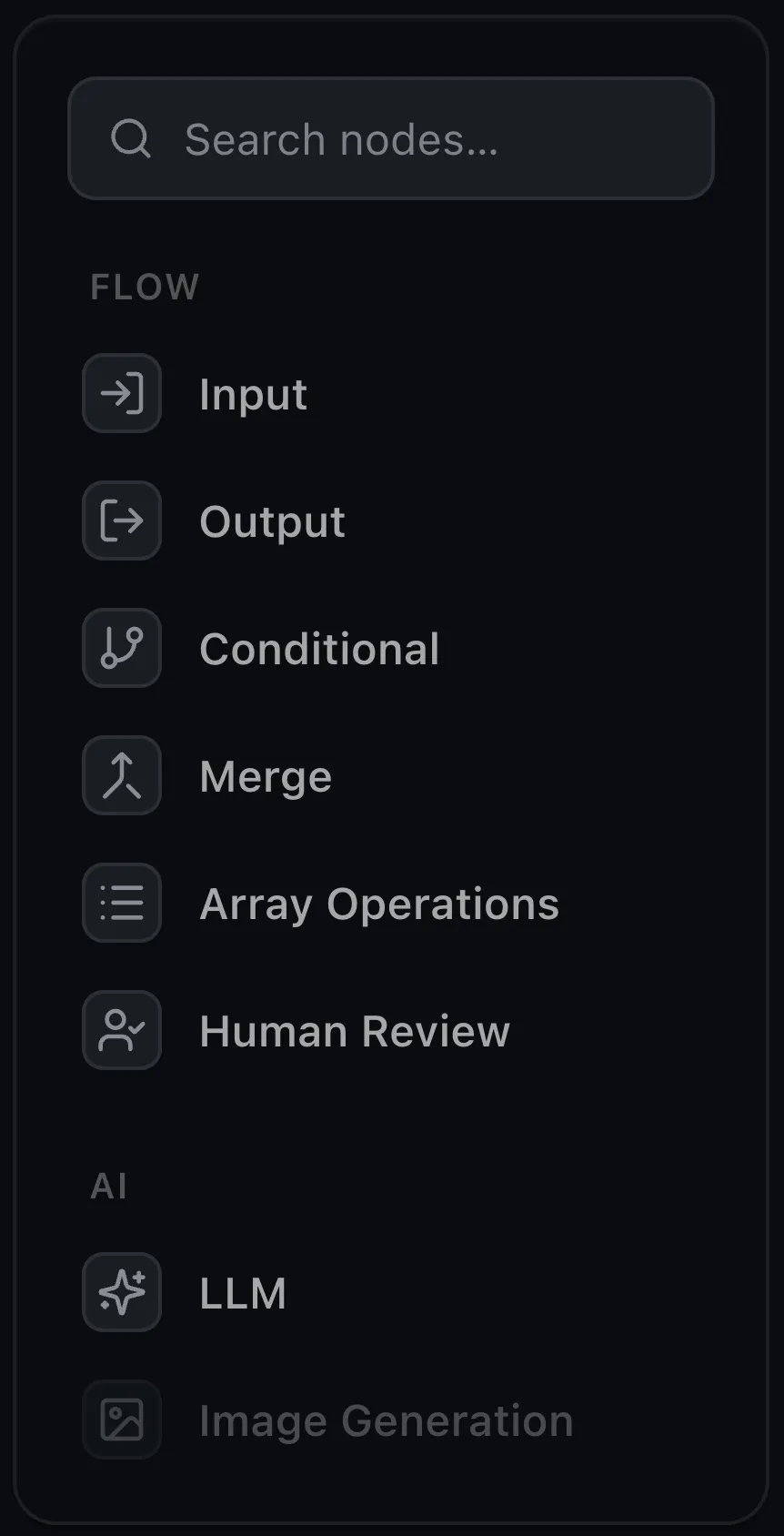
Flow
The nodes that move data through a workflow and decide where it goes.
- Input — defines what the workflow takes in. Each field becomes an output port the rest of the graph wires to.
- Output — collects the final result. Whatever you wire into it becomes the workflow’s output.
- Conditional — branches. Compares a value against a target and routes execution down the True or False path.
- Merge — combines several inputs into one, with modes for how to join them (including zipping lists together).
- Array Operations — transforms a list: filter, map, count, sum, and more.
- Human Review — pauses the run for a person to approve or reject, then routes to the Approved or Rejected path.
AI
The nodes that call a model. Point them at a provider — see Providers & models — and they fit alongside the Flow nodes like any other step.
- LLM — sends a prompt to a language model and returns its response. Give it tools to call, ask for structured output, or feed it images.
- Image Generation — generates an image from a text prompt.
Running a node over a list
The LLM and Image Generation nodes can run once per item over a list instead of a single time — how you’d summarize fifty tickets or generate a dozen images in one step. See Map & arrays.
Need a step that isn't here?
Build your own. A custom node gets its own ports, config, and logic — a node that calls your API, queries your database, or sends an email slots in right next to the built-ins. See Custom node types.
Where next
- Input & Output — the entry and exit of every workflow; the place to start
- LLM — the node you’ll reach for most
- Custom node types — build a step the built-ins don’t cover