Introduction
An embeddable visual workflow editor for the web. Powered by AI when you want it, driven by pure logic when you don't — and it works in any framework.
Wayflow drops a complete workflow editor into your product. From a single call you get the canvas, the node palette, the config panel, and the run controls. Your users build workflows visually, and Wayflow runs them — in the browser or on your own server.
Build whatever your product needs. Wire up LLMs to summarize, classify, or decide which branch a workflow takes, and mix them freely with deterministic steps that run on plain logic. Reach for as much AI as the job calls for, or none at all. The same building blocks cover both.
It’s plain TypeScript and the DOM, with no UI framework. It works the same inside React, Vue, Svelte, or no framework at all. Mounting the editor is a single DOM call.
See it running
This is the editor, embedded right here — the same component you ship. Drag a node, wire it up, and press Run.
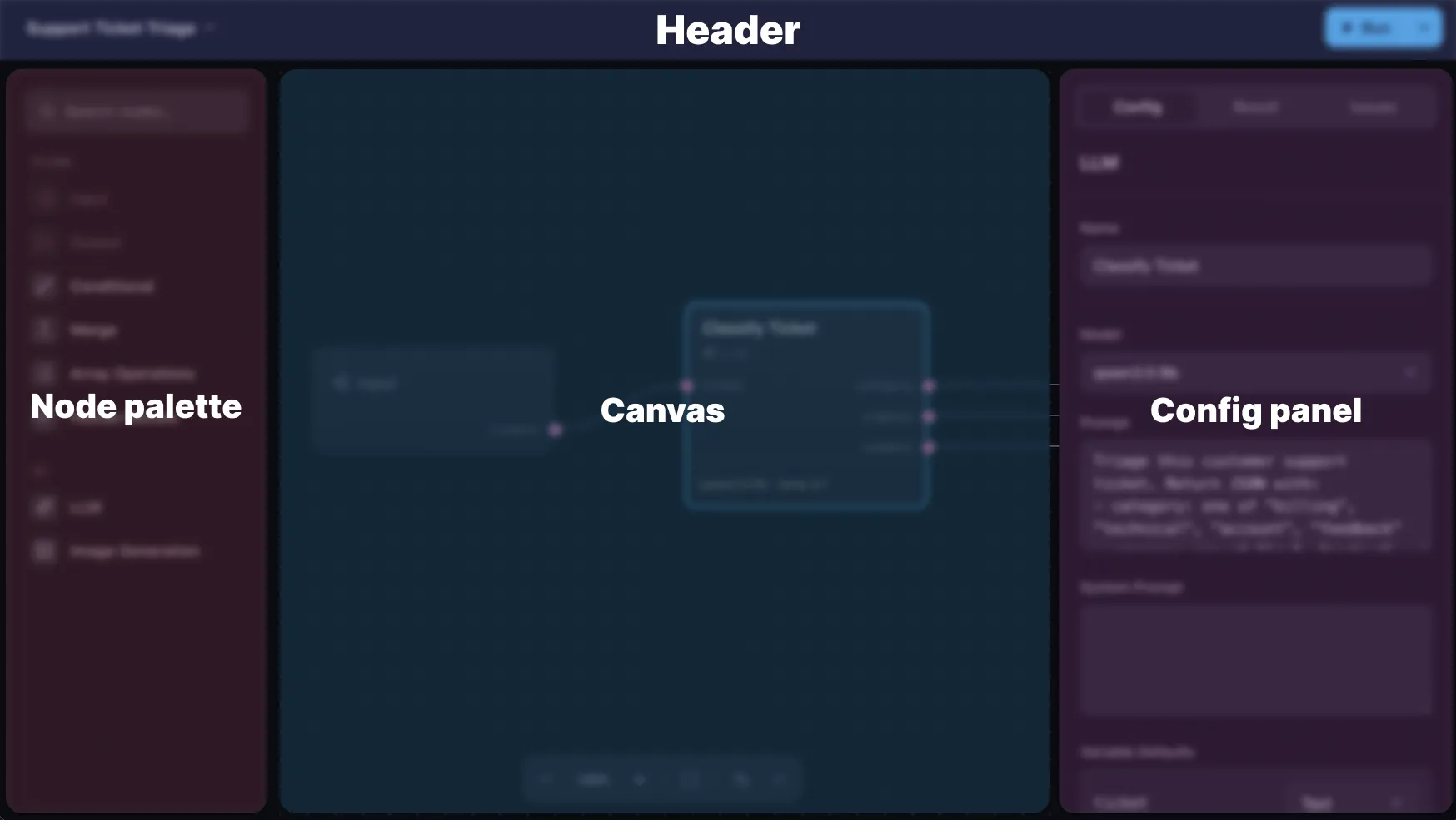
And here’s what each part is called — the names used throughout these docs:
What you get
- A drag-and-drop editor you mount into any element
- Built-in nodes for the steps you reach for most: input, output, LLM, tools, branching, merge, mapping over lists, and image generation
- Custom nodes when the built-ins aren’t enough. Give them your own ports, config, and logic
- A runtime that runs workflows in the browser or on your server
- Provider-neutral models. Bring your own LLM and image keys
- Escape hatches at every layer: stay high-level, or drop down when you want more control. You’re never boxed in
Next steps
Head to the Quickstart to get a working editor on screen in a few minutes. Or browse the examples to see the kinds of workflows you can build.