Quickstart
Get a working Wayflow editor — mounted and running a workflow — in a few minutes.
By the end of this page you’ll have the full editor in your app — mounted, and running a workflow right in the browser — in about five minutes. No backend, no API key.
Install
Add the package. It has zero runtime dependencies, and the styles inject themselves — there’s no CSS file to import.
Mount the editor
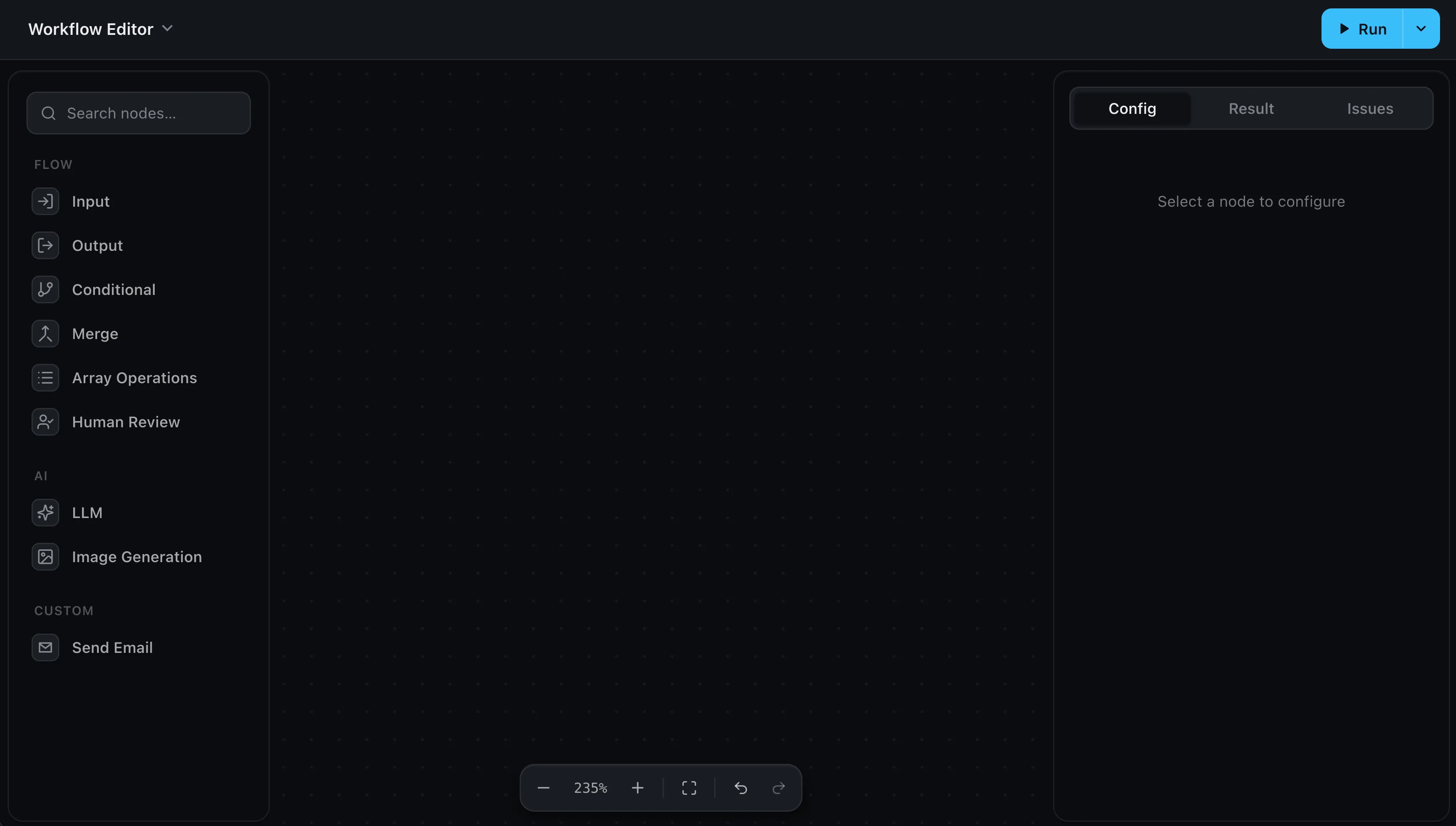
Point createWorkflowEditor at a container, and that one call brings the whole
thing: the canvas, the node palette, the config panel, and the run controls. The
editor fills its container, so give that container a height — an empty <div>
has none of its own.
<div id="editor" style="height: 600px"></div>import { createWorkflowEditor } from 'wayflow'
const editor = createWorkflowEditor(document.getElementById('editor'))That’s the editor on screen. The height is the one thing it needs from you — the width comes from the page automatically. Editor setup covers sizing, theming, and the rest.
Run a workflow
To execute a graph, hand the editor a runtime to call when someone presses Run. The mock provider runs everything in the browser — no key, no backend — so you can try it instantly and swap in a real model later.
import { createWorkflowEditor } from 'wayflow'
import { createLLMHandler, createMockProvider } from 'wayflow/models'
import { createRuntime } from 'wayflow/runtime'
import { runInBrowser } from 'wayflow/runtime/client'

const runtime = createRuntime({
  handlers: {
    llm: createLLMHandler(createMockProvider()),
  },
})

const editor = createWorkflowEditor(document.getElementById('editor'), {
  llm: { models: ['gpt-5.4-mini'] },
  onRun: ({ inputs, signal }) =>
    runInBrowser({ runtime, editor, inputs, signal }),
})
Now drag an Input, an LLM, and an Output from the palette, connect them, and press Run — the result streams into each node as it executes.
Going to production?
Swap createMockProvider() for a real one (any OpenAI-compatible client) and run
on your server instead of the browser. See
Running workflows.
Next steps
- Editor setup — sizing, theming, and dropping it into any framework
- Building workflows — the built-in nodes and how to add your own
- Running workflows — execute in the browser or on your server, with real models