Conditional
Branch a workflow — compare two values and send the run down a True or False path.
The Conditional node is a fork in the road. It compares two values and sends the run down one of two paths — True or False — based on the result. Reach for it whenever the workflow should branch: route urgent tickets one way and the rest another, skip an expensive step unless a flag is set, take a different path when a score crosses a threshold.
How it works
The node has two inputs, Value and Target, and a comparison Operator you pick in the config panel. At run time it evaluates Value · operator · Target: if that’s true, the run continues out the True port; otherwise the False port.
Whichever branch is taken, the original Value flows out of it — so the next node receives the data that was tested, not just a yes/no.
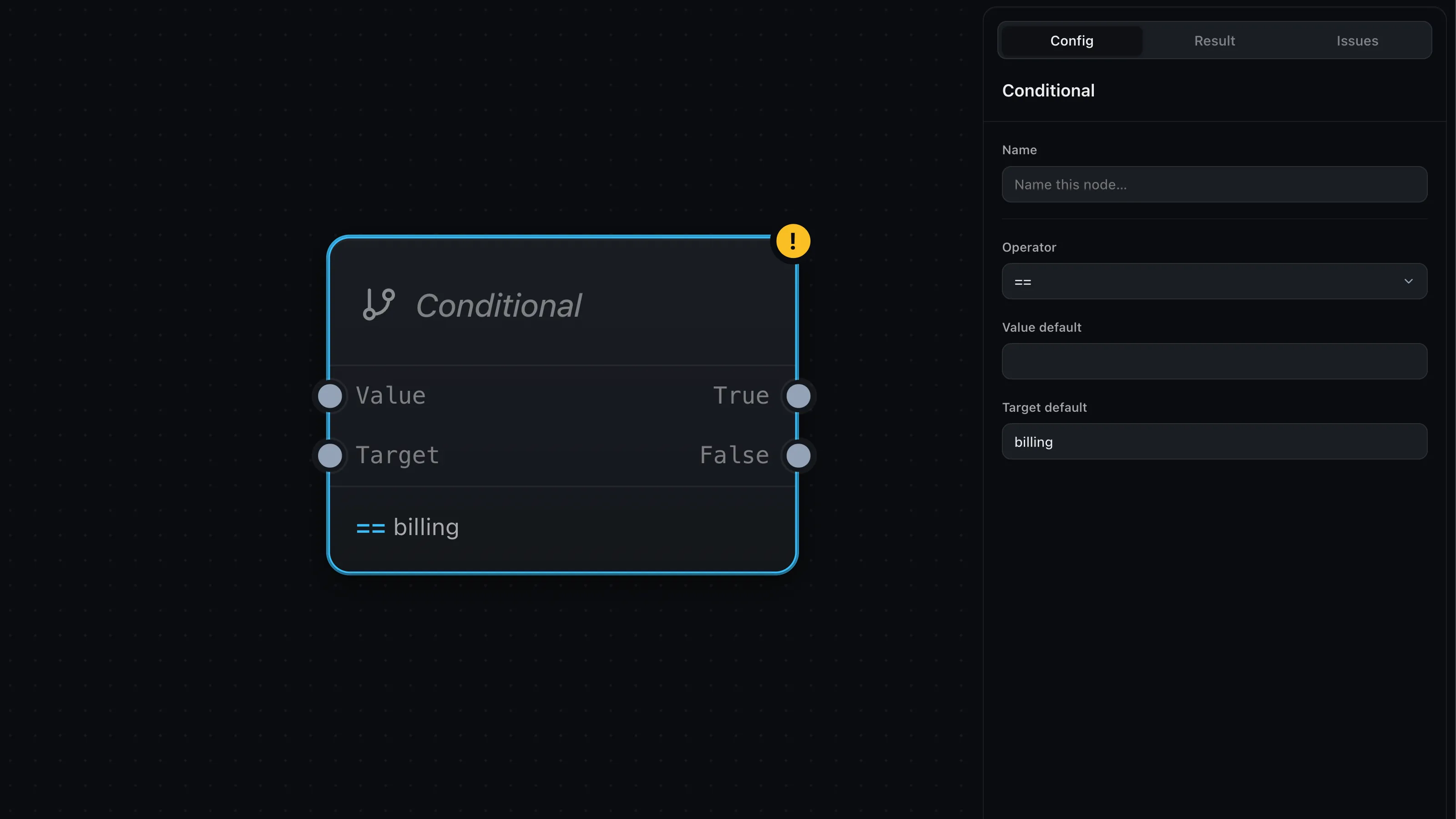
Compare against a fixed value
Often you’re checking against a constant — is the category billing? You don’t
need a separate node for that. Leave Target unwired and type the value into
Target default in the config panel (shown above); the node compares against it
directly. The same goes for Value default. Wire a port only when the value
comes from elsewhere in the graph.
Operators
- Equality —
==,!= - Numbers —
>,<,>=,<=(both sides are read as numbers) - Text —
contains,startsWith,endsWith - Pattern —
matches, a regular expression (write/pattern/flagsfor flags)
Where next
- Merge — bring branched paths back together
- Map & arrays — filtering a list uses these same operators
- LLM — classify something, then branch on the result