Input & Output
Define what a workflow takes in and what it hands back — the entry and exit every workflow is built between.
Every workflow has a shape: some values go in, and a result comes out. The Input node defines what your workflow accepts; the Output node defines what it returns. They’re the entry and exit — usually the first two nodes you place, with the rest of the graph wired between them.
Input
The Input node holds a list of fields. Each field has a name and a data type, and shows up on the node as an output port you wire into the rest of the graph. Add a field for every value your workflow needs to start.
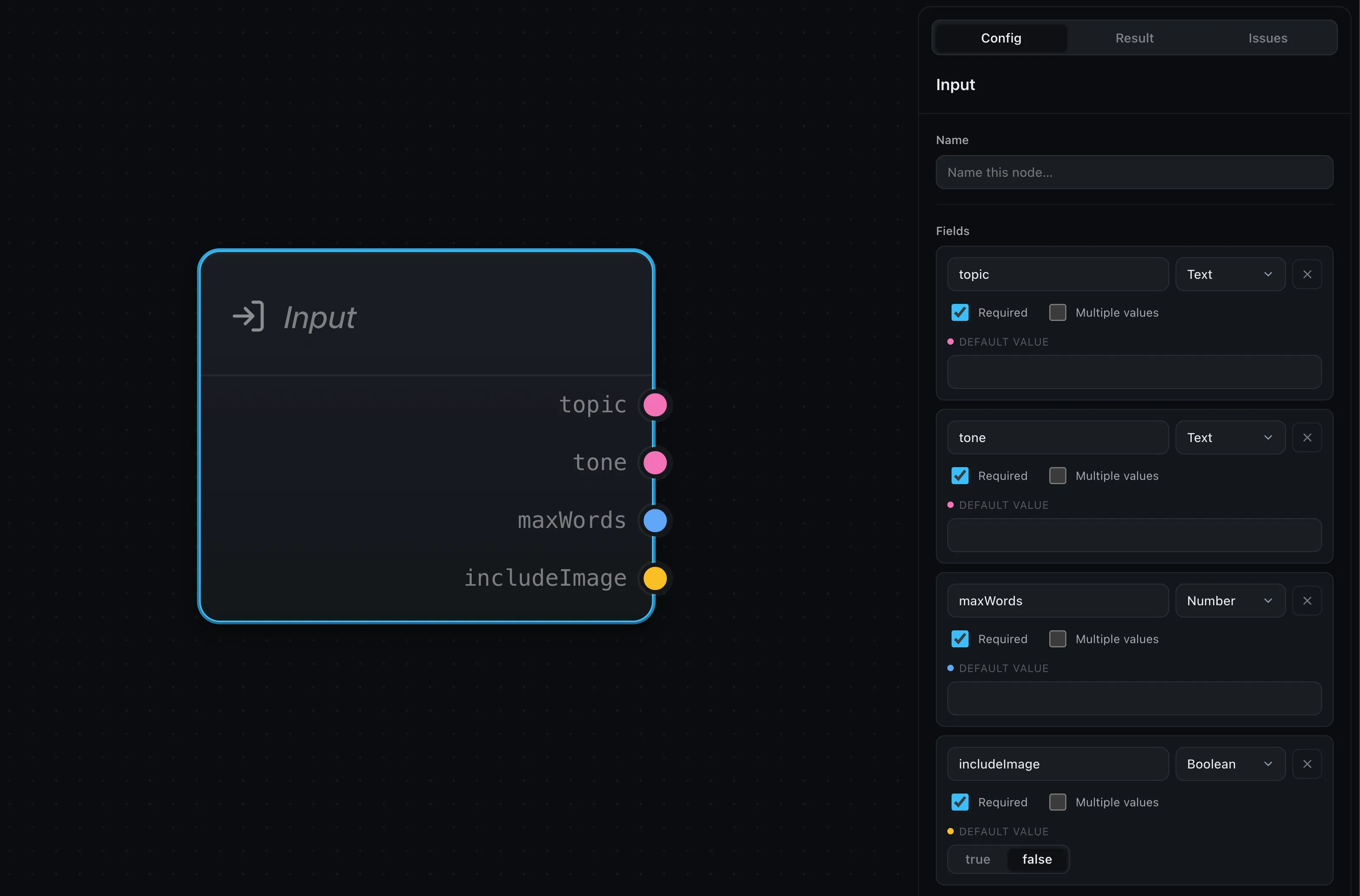
When you run the workflow, you provide those values keyed by field name:
const outcome = await runtime.run(graph, {
  inputs: { topic: 'coffee' },
})
So an Input field named topic is filled by inputs.topic, and any node
downstream can read it. (How you start a run — in the browser or on a server — is
covered in Running workflows.)
A workflow has a single Input node: it’s the one entry point everything flows from.
Output
The Output node is the mirror image. Its fields show up as input ports, and whatever you wire into them becomes the workflow’s result — an object keyed by those field names:
// with an Output field named "summary":
{ summary: 'A short summary about coffee.' }
Like Input, there’s a single Output node — the one place the finished result is collected.
Data types
Each field has a data type, so the editor can colour-code ports and only let compatible ones connect:
- Text, Number, Boolean — the primitives.
- JSON — a structured object.
- Array — a list of values.
- Image — image data, for vision-capable LLMs and image generation.
- Any — accepts any type. Handy for passing a value straight through without constraining it; an Any port connects to anything.
Working with lists
A field can hold multiple values instead of one, turning it into a list you can fan a node out over. See Map & arrays.
Required fields and defaults
Every Input field is required by default — a run can’t proceed until it has a value. In the editor, pressing Run prompts you for any required inputs that are still empty.
Two ways to loosen that:
- Give it a default. The field uses the default whenever no value is passed in, so the run always has something to work with.
- Mark it optional. Uncheck Required when it’s fine for the field to be empty.
Where next
- LLM — wire your input into a model and produce a result
- Map & arrays — run a node once per item in a list
- Running workflows — pass inputs and read the result, in the browser or on your server