Image generation
Turn a text prompt into an image — the LLM node's visual sibling.
The Image Generation node turns a text prompt into an image. It’s the LLM node’s visual sibling: write a prompt, pick a model, and an image comes out the other side, ready to wire into the rest of your workflow.
Write the prompt
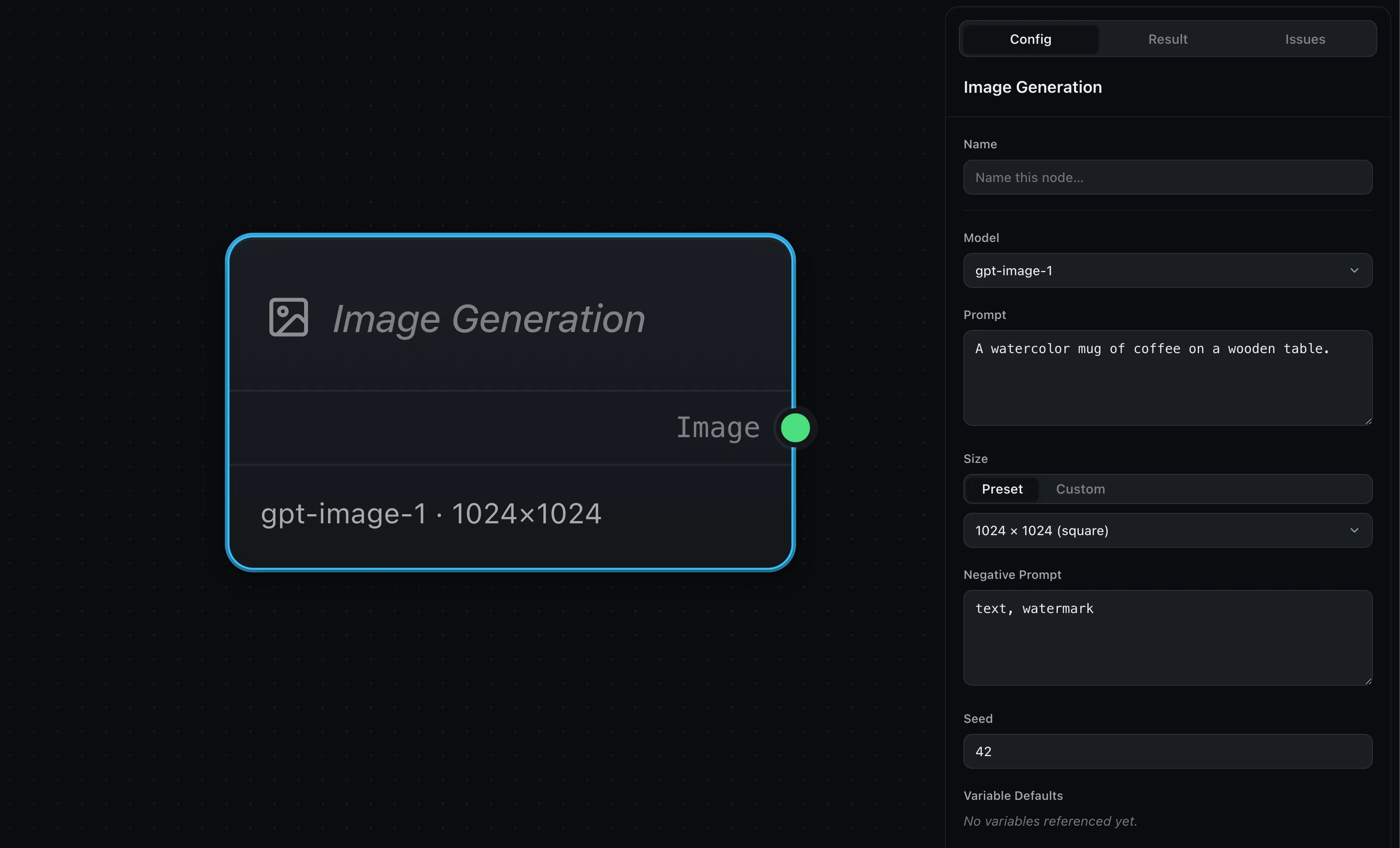
The Prompt field in the config panel describes the image you want. To build
that description from the rest of the workflow, drop a variable in curly braces:
the moment you add {subject}, a matching input port named subject appears
on the node, and whatever you wire in is substituted into the prompt before the
image is generated. (It works just like the LLM
node, where you can watch it happen.)
Choose a model
The Model dropdown lists the image models your app makes available. Wayflow stays provider-neutral here too, so the node runs against whichever image provider you connect.
Make it run
Like the LLM node, choosing a model in the editor isn’t enough on its own — the
node runs once its handler is on your runtime. Image Generation is served by
createImageGenerationHandler, pointed at an image provider:
import OpenAI from 'openai'
import { createImageGenerationHandler } from 'wayflow/models'
import { createOpenAIImageProvider } from 'wayflow/models/openai'
import { createRuntime } from 'wayflow/runtime'

const client = new OpenAI({ apiKey: process.env.OPENAI_API_KEY })

const runtime = createRuntime({
  handlers: {
    imageGeneration: createImageGenerationHandler(
      createOpenAIImageProvider({ client }),
    ),
  },
})
The handler’s key — imageGeneration — is the node type it serves. Connecting the
client, pointing at a local image backend, and where the runtime runs are all in
Providers & models and Running
workflows.
Shape the result
Three controls tune what comes out:
- Size — the dimensions of the generated image.
- Negative Prompt — what to keep out of the image.
- Seed — a number that makes a run repeatable: the same prompt and seed produce the same image, which is handy for iterating on everything else.
The output
The node has one output port, Image. Wire it into an Output field to return it, render it in the result, or feed it to a vision-capable LLM to describe or check what was made.
Generate a batch
Like the LLM node, Image Generation can run once per item over a list — turn on Run per item to generate an image for every entry (a dozen product variations in a single run). See Map & arrays.
Where next
- LLM — its text-generating sibling
- Providers & models — connect an image model
- Map & arrays — generate a batch from a list